 Vatsal Shah
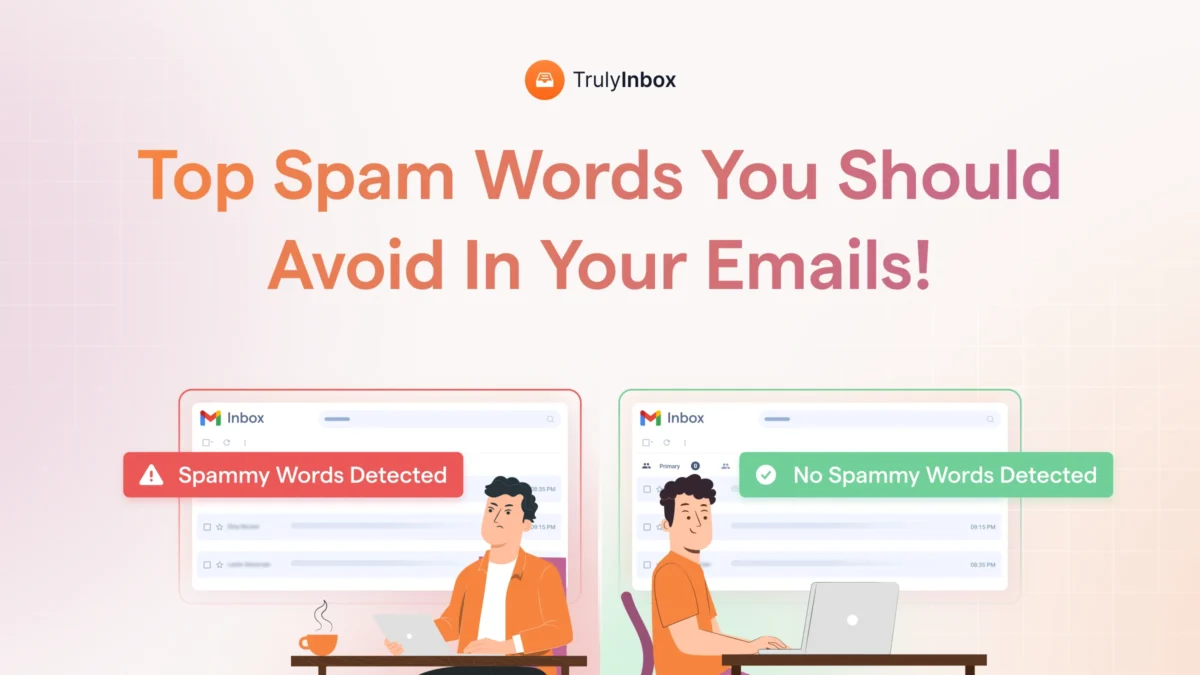
 Most “spam words to avoid” lists are misleading. They hand you 200 words and tell you to avoid all of them equally.
That’s not how email filters work in 2026.
Some words will destroy your inbox placement even if everything else is perfect.
Others are completely safe unless you stack them with bad formatting or send from a cold domain. The difference between a harmless word and a dangerous one is context.
I tested this extensively and ranked 200+ spam words into 4 severity levels. Every ranking reflects real inbox placement impact, not guesswork.
This post gives you a severity index. You’ll see exactly which words hurt, how much they hurt, and which ones you can safely ignore.
TLDR: The 4 Spam Word Severity Levels
Spam words are not equally dangerous. Some will kill your inbox placement no matter what you do. Others barely register as a signal.
Level 1 (Critical) covers phishing and financial fraud language. Words like “verify your account,” “security alert,” and “make money fast” cause 70-90% spam rates. Even perfect authentication and warm sender reputation can’t save you from these.
Level 2 (High) includes urgency stacking and exaggerated financial promises. These drop inbox placement by 40-70%. A single word from this level is survivable. Stacking two or three together is not.
Level 3 (Moderate) covers standard promotional language. Phrases like “amazing offer” and “exclusive deal” cause 15-40% drops. Cold emails get hit hardest because no prior relationship exists.
Level 4 (Context-Dependent) includes words like “free,” “discount,” and “bonus.” These only cause 5-15% drops when you combine them with aggressive formatting or send from an unwarmed domain.
The core takeaway is simple. Filter algorithms evaluate patterns and context, not isolated keywords. Your sender reputation and email structure matter more than any single word. But at Level 1 and 2, content alone overrides good reputation.
The full breakdown below includes exact percentage impacts per word category and safer replacement phrases for every level.
What Are Spam Words (And Why Flat Lists Are Misleading)
Spam words are terms that email filters associate with deceptive, aggressive, or low-trust messaging. They signal to Gmail, Outlook, and Yahoo that your email looks like something recipients didn’t ask for.
But here’s the problem with most spam word content. It treats every word as equally dangerous.
A flat list that puts “verify your account” next to “free trial” is useless. The first one mimics a phishing attack. The second one appears in millions of legitimate SaaS emails every day.
Modern filters don’t scan against a static keyword blacklist. They evaluate language patterns alongside several other signals:
- Sender reputation and domain age
- Engagement history (opens, replies, clicks)
- Email authentication (SPF, DKIM, DMARC)
- Formatting and HTML structure
- Recipient list quality
A single word rarely triggers spam filtering on its own. The combination of words, formatting, and sender behavior determines what happens.
That’s why flat lists create fear without giving you a framework. You need to know what’s truly dangerous versus what’s contextually fine. If your emails are landing in spam, the cause is almost never one word in isolation.
The severity index below gives you that missing framework. It ranks every word by how much it actually hurts.
How I Tested This: Methodology
I tested spam word impact across a large network of real inboxes spanning Google, Microsoft, Yahoo, Zoho, and other providers. The testing ran from 2024 through 2026.
Every test account had controlled variables:
- Valid email authentication (SPF, DKIM, DMARC)
- Verified, vetted recipient lists
- Established and warmed sender reputation
The only variable I changed was the email content itself. I sent identical emails with progressively more spam-trigger language. Then I measured at what threshold inbox placement dropped and by how much.
I tracked inbox placement rate versus spam folder rate separately across Gmail, Outlook, and Yahoo. This revealed that each provider weighs content signals differently, though the severity hierarchy stayed consistent.
One important caveat: filters evolve constantly. This data reflects 2024-2026 patterns. The severity rankings will shift over time, which is why ongoing monitoring matters.
Level 1: Critical Risk: Words That Tank Inbox Placement (70-90% Spam Rate)
These are the most dangerous spam words you can use. They cause severe inbox placement failure even when every other factor is perfect.
Level 1 words trigger immediate filtering regardless of sender reputation. They closely mimic the exact language used in phishing attacks, financial fraud, and identity theft attempts.
Even a single word from this category in a subject line can drop inbox placement below 20%. Using them repeatedly can get you blacklisted entirely.
Phishing and Security Language
These phrases appear in 95%+ of phishing emails. Filters are trained specifically to catch them.
- Verify your account
- Account suspended
- Security alert
- Confirm your identity
- Unusual activity detected
- Password reset required
- Action required immediately
- Access revoked
- Login attempt failed
- Unauthorized access
Impact: 80-90% spam rate in cold emails. Even transactional emails from legitimate senders need perfect domain reputation to survive these.
Financial Fraud Language
These words directly associate with advance-fee fraud and get-rich-quick scams. Filters treat them as high-confidence spam signals.
- Make money fast
- Double your income
- Earn $X per day
- Wire transfer
- Bitcoin opportunity
- Investment guaranteed
- Cash from home
- No investment needed
- Financial freedom overnight
- Pyramid / MLM
Impact: 70-85% spam rate.
Pharmaceutical and Health Scam Language
Pharma spam was the original spam category. Filters are most mature and aggressive here because they’ve had decades to learn these patterns.
- Viagra
- Weight loss miracle
- Prescription not required
- Pharmacy discount
- Miracle cure
- Lose X pounds fast
- Human growth hormone
Impact: 85-90% spam rate. These are the oldest and most heavily filtered terms in existence.
In my testing, even accounts with months of warm-up history and perfect authentication dropped to sub-20% inbox placement when Level 1 language appeared in the subject line. No amount of reputation building protects you here.
Level 2: High Risk: Words That Create Serious Drag (40-70% Inbox Drop)
Level 2 words significantly hurt inbox placement but won’t destroy it on their own. The real danger at this level is stacking.
Individual words from this category are survivable with strong sender reputation. But combining two or three of them in a single email consistently drops inbox placement into the 30-50% range.
These words signal aggressive sales behavior, not fraud. Filters treat them as “probably spam” rather than “definitely spam.”
Pressure and Urgency Stacking
One urgency phrase is normal human communication. Three in one email signals manipulation. Filters recognize this difference.
- Act now
- Limited time
- Final chance
- Expires today
- Hurry
- Last opportunity
- Respond immediately
- Don’t miss out
- Before it’s too late
- While supplies last
- This won’t last
- Deadline approaching
- Only X left
The stacking effect makes this category especially dangerous:
- Single use = 15-20% inbox drop
- Two stacked = 35-45% drop
- Three or more = 55-70% drop
To write better cold email subject lines, keep urgency to one phrase maximum per email.
Exaggerated Financial Promises
These overlap with financial scam language but are less specific. Filters flag them but don’t auto-block.
- Guaranteed results
- 100% free
- Risk-free
- No obligation
- Money back guaranteed
- Pure profit
- Save big money
- Lowest price / Best price
- Cash bonus
- Extra income
- Double your cash
Impact: 40-60% inbox drop when used without supporting context.
Forced Trust Language
Legitimate senders never need to defend their legitimacy. The act of denying spam status is itself a spam signal.
- This is not spam
- This is not a scam
- Trust me
- Completely safe
- No hidden charges / No hidden costs
- Legit offer
- Honest deal
- Verified opportunity
Impact: 45-65% inbox drop. Counterintuitively, these are riskier than many promotional terms.
The stacking effect was the clearest finding in my data. A subject line with “limited time offer” alone showed a 22% inbox drop. Adding “act now” to the body jumped it to 48%. Adding “don’t miss out” pushed it to 67%.
Level 3: Moderate Risk: Promotional Language That Hurts Cold Emails Most (15-40% Inbox Drop)
Level 3 covers standard marketing and promotional language. These words are acceptable in opt-in email marketing but carry real risk in cold outreach.
The risk here depends heavily on context:
- Cold email (no prior relationship) = 25-40% inbox drop
- Marketing email to opted-in list = 5-15% drop
Sender reputation can override these signals. Well-warmed accounts with strong engagement history handle Level 3 language much better than cold domains.
Promotional Hype Language
These words promise exceptional value without specificity. Filters recognize them as generic marketing signals.
- Amazing offer
- Incredible deal
- Exclusive deal
- Special promotion
- Unbelievable value
- Best solution
- Top rated
- Next level
- Premium offer
- Must see
- Industry leading
- Breakthrough
Impact in cold email: 25-40% inbox drop. Impact in marketing email: 10-15% drop. Marketing emails typically land in the Promotions tab rather than spam.
Direct Action Commands
These work better in body text than subject lines. Filters weight subject line commands much more heavily.
- Click here / Click below
- Buy now / Order now
- Sign up now
- Download now
- Get started now
- Take action
- Apply now
- Subscribe today
Impact: 15-30% inbox drop in cold emails. Moving these phrases from subject line to body text reduces their signal weight significantly.
Selection and Exclusivity Claims
These overlap with phishing patterns but lack the urgency of Level 1. Filters flag them as suspicious rather than dangerous.
- You have been selected
- Special invitation
- Chosen exclusively
- Reserved for you
- Member only
- Exclusive access
- Pre-approved
- You qualify
- Congratulations
Impact: 20-35% inbox drop.
The cold email versus marketing email difference was stark. The same promotional phrase that caused a 35% inbox drop in cold outreach only caused a 12% drop when sent to an opted-in list. Context and relationship history matter enormously.
Level 4: Context-Dependent: Only Risky When Combined With Other Signals (5-15% Inbox Drop)
This is where most spam word lists mislead you. These words appear on every “avoid” list, but they show up in millions of legitimate emails daily.
They only become problematic when you combine them with other negative signals:
- ALL CAPS formatting
- Excessive punctuation (!!!, ???)
- Multiple exclamation points in the subject line
- Image-heavy layouts with minimal text
- Stacking with Level 2 or Level 3 words
- Sending from cold or unwarmed domains
If your authentication is solid, your list is clean, and your account is warmed, these words won’t hurt you.
Here are the Level 4 words:
| Column 1 | Column 2 | Column 3 | Column 4 |
| Free | Discount | Bonus | Offer |
| Deal | Save | New | Announcement |
| Opportunity | Invitation | Trial | Limited |
| Update | Reminder | Important | Confirm |
| Access | Join |
The impact data tells the story clearly:
- Used alone with clean sending: 0-5% drop (within normal variance)
- Used with bad formatting: 10-15% drop
- Stacked with Level 2/3 words plus bad formatting: 25-40% drop (compounding)
I’ve sent thousands of emails containing “free” and “discount” with zero deliverability impact. The sender reputation was clean, the formatting was professional, and the context was genuine.
Stop being afraid of these words. Use them when they fit naturally. Instead, focus on your email deliverability checklist to make sure every other factor is in order.
Beyond Words: Formatting Patterns That Trigger Filters
Spam words don’t exist in a vacuum. The way you format your email amplifies or reduces the signal weight of every word you use.
In my testing, the same email with “limited time offer” in normal case showed a 22% inbox drop. In ALL CAPS, it jumped to 51%. The formatting amplified the content signal by more than double.
Here are the formatting patterns that independently trigger filtering:
- ALL CAPS in subject lines or body text. This increases the spam signal weight of any word by 2-3x. Filters treat capitalization as shouting, which correlates with aggressive spam.
- Excessive punctuation (!!!, ???, $$$). These are independent spam signals. Even neutral content becomes suspicious with three exclamation marks.
- High image-to-text ratio. Emails with more than 60% images and less than 40% text trigger visual spam detection. Filters can’t read images, so they assume hidden content.
- Colored or oversized fonts. Red text, varied font sizes, and inconsistent formatting signal HTML spam templates. Keep your formatting clean and consistent.
- Link density. More than three links in a cold email body raises flags. Each additional link increases the probability of filtering.
- No plain-text version. Sending HTML-only emails without a plain-text alternative looks automated. Always include both versions.
- URL shorteners. Services like bit.ly hide link destinations. Filters associate hidden URLs with phishing attempts.
- Trigger words in attachment names. Sending “invoice.pdf” or “payment_details.xlsx” from an unknown sender mimics common phishing tactics.
If you’re experiencing email delivery issues, check your formatting before you audit your word choices. Formatting problems compound with content signals and can push otherwise safe emails into spam.
A high bounce rate combined with bad formatting creates an even stronger negative signal. Fix the technical foundation first.
How to Check Your Emails Before Sending
Knowing which words are risky is only half the solution. You need a process to catch problems before they reach inboxes.
Here’s the pre-send audit I use for every outreach email:
- Run your email through a spam word scanner. A good scanner scores your email and flags specific phrases by risk level. It takes 30 seconds and prevents avoidable inbox placement drops.
- Read your email out loud. If it sounds like something you’d mark as spam yourself, rewrite it. Your instinct is usually right.
- Check your subject line separately. Subject lines carry 3-5x more weight than body text for spam filtering. A clean body with a spammy subject line still lands in spam.
- Send a test to your own Gmail, Outlook, and Yahoo accounts first. A quick seed send reveals filtering issues before you hit your full list. Run a proper deliverability test if the stakes are high.
- Monitor inbox placement after every campaign. A sudden drop means something in your content triggered filters. Catch it early before it damages your sender reputation.
You can also compare your results against other spam checker tools to validate your findings. Different tools catch different patterns.
After building this severity index, I used the same testing data to create a language engine that generates email content designed to avoid every pattern in Levels 1 through 3. It adapts by industry and topic because what’s safe in SaaS outreach isn’t always safe in financial services.
Safer Alternatives That Still Convert
Avoiding spam words doesn’t mean writing bland emails. It means replacing vague, aggressive language with specific, credible alternatives.
These replacements aren’t just “less spammy.” They also convert better because they’re more specific. Specific language signals legitimacy to both filters and humans.
| Instead of (Risky) | Say This (Safer) | Why It Works |
| Act now | Get started today | Removes artificial pressure |
| 100% free | Complimentary / Included | Avoids “too good to be true” signal |
| Guaranteed results | Proven across X teams | Specific beats absolute |
| Click here | See the details / View pricing | Descriptive anchor beats generic command |
| Limited time offer | Available through [date] | Specific deadline beats vague urgency |
| Make money | Increase your revenue | Professional framing |
| You’ve been selected | Based on [specific criteria] | Context beats flattery |
| This isn’t spam | [Don’t say it at all] | Denial confirms suspicion for filters |
| Exclusive deal | Early access for [segment] | Specificity signals legitimacy |
| Verify your account | Confirm your [specific action] | Avoids phishing template language |
The pattern across every replacement is the same. You trade vague claims for specific ones. Filters trust specificity because spammers rarely have real details to include.
Better language also improves your engagement metrics across the board. Higher open rates and reply rates feed back into stronger sender reputation, which further protects you from filtering.
Do Spam Words Affect Cold Emails More Than Marketing Emails?
Yes. Significantly. Cold emails have no prior relationship, no engagement history, and no opt-in signal. Filters give less benefit of the doubt.
The same word that causes a 12% inbox drop in a marketing email causes a 30%+ drop in cold outreach. This gap exists because marketing emails go to recipients who previously opened, clicked, or replied to your messages.
That engagement history acts as a trust signal. Cold emails start with zero trust, so content signals carry much more weight.
If you send cold emails, treat every word choice as a deliverability decision. Level 3 words that are harmless in marketing become genuinely risky in cold outreach.
Can Email Warm-Up Protect Against Spam Word Filtering?
Partially. A well-warmed account with strong sender reputation can survive Level 3 and Level 4 words without significant impact.
But email warm-up cannot protect you against Level 1 words. No amount of warm-up overrides phishing language. Filters treat these patterns as high-confidence threats regardless of your history.
Level 2 words are survivable with excellent reputation. However, they still cause measurable drops even from well-warmed accounts. The stacking effect applies regardless of sender reputation.
Think of warm-up as a buffer, not a shield. It gives you more room to use normal business language safely. It does not give you permission to use aggressive or deceptive language.
Are Spam Words Weighted Differently Across Gmail, Outlook, and Yahoo?
Yes, but the severity hierarchy stays consistent across all three. The four levels I outlined hold true regardless of provider.
Where they differ is in how much weight they give to other factors:
- Gmail weighs engagement history most heavily. Strong open and reply rates offer more protection against borderline words. You can check your Gmail deliverability separately.
- Outlook is more aggressive on phishing-pattern language. Level 1 and Level 2 words get filtered faster and more consistently.
- Yahoo and AOL tend to be most sensitive to bulk-send signals and formatting. Content signals matter, but volume and pattern signals carry extra weight.
The practical takeaway is straightforward. If your emails pass Gmail’s filters, they’ll usually pass everywhere. Gmail is the toughest on content-level signals because it has the most engagement data to work with.
Is Avoiding Spam Words Enough to Fix Deliverability?
No. Content is one signal among many. Fixing your word choices alone won’t improve your deliverability if other fundamentals are broken.
These factors matter independently of your content:
- Authentication (SPF, DKIM, DMARC)
- List quality and hygiene
- Sending volume and consistency
- Engagement rates (opens, replies, clicks)
- Sender reputation and domain age
But content is the one signal you control on every single email. You can’t change your domain age overnight. You can change your word choices in five minutes.
Fix your content first because it’s the easiest win. Then work through the other factors systematically to build a strong deliverability foundation.