 Vatsal Shah
 The email warm-up process most people follow is based on advice from 2022. ESPs have changed their rules significantly since then.
- Google enforced bulk sender requirements.
- Microsoft tightened verification on new senders.
- Yahoo mandated strict authentication alignment.
- The ramp schedule that worked two years ago now triggers entirely different filters.
I run TrulyInbox’s warmup network, which includes 40,000+ real inboxes across Google, Microsoft, Zoho, and others. I watch warmup succeed and fail across thousands of accounts every single month.
This guide covers how the process actually works in 2026.
You’ll get the technical mechanics, ESP-specific timelines, the signals that matter, and the mistakes that kill accounts.
Everything here comes from patterns observed across 10M+ warmed emails.
TLDR:
Email warm-up builds sender reputation through graduated engagement signals.
ESPs track your sends, opens, replies, and not-spam actions to decide if recipients want your mail.
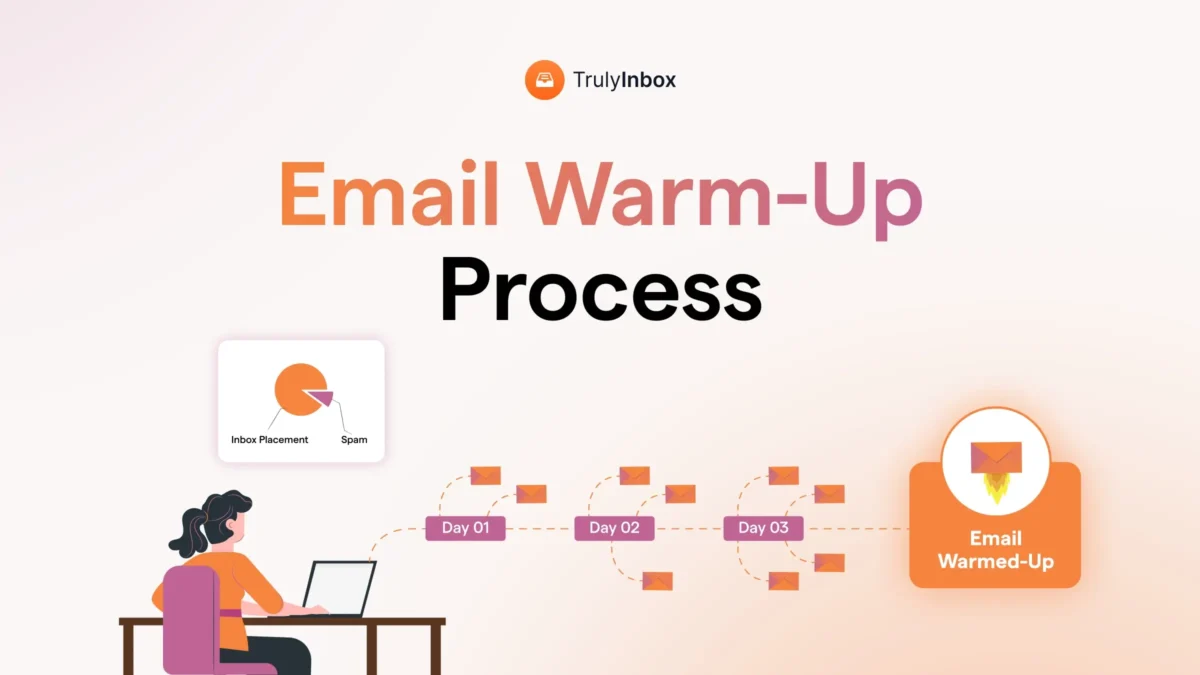
The process has three phases:
- Technical setup (1-2 days)
- Graduated volume ramp (14-21 days)
- Ongoing stabilization and maintenance
The critical 2026 shift: ESPs now weight engagement quality over volume. A slow ramp with high reply rates beats a faster ramp with low engagement.
From TrulyInbox’s network data: accounts following a progressive ramp with 30%+ reply rates reach 90%+ inbox placement in 18 days on average. Accounts that rush take 35+ days or plateau below 80%.
The part most guides skip: sender reputation degrades without ongoing positive signals.
Stop sending for 10-14 days and inbox placement drops below 70%.
What Email Warm-Up Actually Does (The Mechanism, Not the Definition)
You searched “email warm up process,” so I won’t waste time defining email. Let’s talk about what warmup actually does at a technical level.
ESPs maintain a reputation score for every sending domain and IP combination.
New or inactive senders don’t have bad reputation. They have no reputation at all. That absence of data is the problem.
Warmup creates a controlled history of positive engagement signals. Here’s what ESPs track during this process:
- Emails sent successfully (no bounces)
- Recipients opening those emails
- Recipients replying to those emails
- Recipients marking emails as “not spam” if they land in junk
The goal isn’t “sending emails.” It’s building a statistical profile that tells ESPs: recipients want this sender’s mail.
Here’s what most guides get wrong. They frame warmup as “gradually increasing volume.”
That’s only half the story. Volume alone means nothing without engagement.
Consider this comparison:
- 50 emails/day with 0 replies = ESP sees an ignored sender
- 10 emails/day with 30% reply rate = ESP sees an engaged sender
The second account builds reputation faster despite lower volume. ESPs care about the ratio of positive signals to total sends, not raw numbers.
Across our network, I track how ESPs respond to warmup patterns in real time. The accounts that succeed aren’t sending the most. They’re generating the most genuine-looking interactions.
If you want deeper context on how reputation scoring works, check out our guide on how to improve email reputation.
Why the Warmup Process Changed in 2025-2026
The warmup playbook that worked in 2023 stopped producing the same results in 2024. I saw the shift happen in real time across our network data.
Here’s what changed:
Google (February 2024):
- Authentication mandated for all bulk senders
- One-click unsubscribe required
- Spam complaint threshold enforced at 0.3%
Microsoft (2024-2025):
- Increased scrutiny on new Outlook and M365 senders
- Stricter rate limiting during the ramp phase
- More aggressive deferrals in the first week
Yahoo (October 2024):
- Aligned with Google’s authentication requirements
- Strict DMARC alignment enforcement
Beyond policy changes, ESPs now use AI-based spam detection that identifies “warmup patterns.” Repetitive engagement from the same cluster of addresses gets flagged. The filters got smarter.
The bar moved. What passed as “warmed up” in 2023 (a basic volume ramp) now requires authentication plus engagement plus content diversity plus natural timing patterns.
I saw accounts that previously warmed up in 14 days start taking 21+ days in Q1 2024. The same ramp schedule produced different results because the filters changed underneath it.
For broader context on how these changes affect email deliverability, we cover the full landscape separately.
The Technical Foundation: What Must Be in Place Before Day 1
Before I activate warmup on any account in our system, I verify six things. If any one fails, warmup outcomes suffer regardless of how good the ramp schedule looks.
Authentication stack:
- SPF: Must include your sending source. Common failure is exceeding the 10 DNS lookup limit.
- DKIM: Use a 2048-bit key minimum. It must align with your From domain.
- DMARC: Start at p=none during warmup. Move to p=quarantine after 30 days of clean data. Never start at p=reject on a new domain.
For full setup walkthroughs, see our guides on SPF records, DKIM, DMARC, or the combined SPF, DKIM, and DMARC setup guide.
Infrastructure readiness:
- MX records configured so your domain can receive mail (ESPs check this)
- Domain aged at least 2 weeks with basic activity before formal warmup begins
- Mailbox fully configured with custom display name, professional signature, and profile photo
I’ve audited hundreds of accounts where warmup stalled. In 60%+ of cases, the issue was a misconfigured authentication record, not the warmup process itself.
Brand new domains (under 7 days old) get extra scrutiny from every ESP. I recommend aging a domain with basic sending activity before starting any formal ramp.
The Warm-Up Process: Phase by Phase
These timelines come from observing warmup performance across our 40,000+ inbox network. Individual results vary, but these ranges hold for 80%+ of accounts that follow the process correctly.
Phase 1: Establishing Baseline (Days 1-7)
Your only goal in Week 1 is proving your mailbox generates positive engagement. Volume stays deliberately low.
Daily targets:
- Send 5-8 emails per day
- Achieve 100% open rate on these sends
- Maintain 30%+ reply rate
- Space emails 8-15 minutes apart, within business hours only
Content should use varied subject lines with conversational body text. Build natural reply threads that look like real conversations.
What I watch for: Any emails landing in spam during this phase signals an authentication issue, not a volume issue. Stop and fix your technical setup before continuing.
Critical rule: no cold outreach during Phase 1. Warmup interactions only. You’re building a clean baseline that can’t absorb negative signals yet.
Phase 2: Graduated Ramp (Days 8-14)
Now you increase volume, but adaptively. The ramp responds to how the account performs, not a fixed schedule.
Daily targets:
- Add 3-5 emails per day (not a fixed percentage)
- Reach 20-25 emails/day by Day 14
- Maintain 30% reply rate at the higher volume
- Start receiving inbound replies to your warmup emails
Vary send times across the day. Mix early morning, midday, and afternoon sends. Timing diversity looks more natural to ESPs.
What I watch for: Inbox placement rate. If it dips below 85% at any point, hold volume steady for 2-3 days before continuing the ramp. Pushing through a dip compounds the problem.
Phase 3: Stabilization (Days 15-21)
This phase confirms your account can sustain target volume with strong inbox placement.
Daily targets:
- Reach 30-40 emails/day (this is where most cold outreach accounts should plateau)
- Keep reply rate at 25-30% even at higher volume
- Mix new thread starts with ongoing thread replies
The “ready” signal: 3 consecutive days of 90%+ inbox placement at target volume means your account is warmed.
Average timelines I observe:
- Google Workspace accounts: 18 days
- Microsoft 365 accounts: 21 days
- Zoho and others: 14 days
For deeper strategy selection (progressive vs. randomized vs. flat ramp), see our email warmup strategy guide.
How ESPs Evaluate Your Warmup Differently
This is where operating a network with 21K Google inboxes and 9K Microsoft inboxes gives me visibility that documentation alone can’t provide. Each ESP responds differently to the same warmup pattern.
Google (Gmail / Google Workspace)
Google uses a domain-centric reputation model. IP matters less, especially on shared hosting.
What Google watches hardest:
- Spam complaints (threshold: 0.3%)
- User engagement patterns
- Authentication alignment
Google rewards consistent positive signals faster than any other ESP. Most accounts hit 90%+ inbox placement in 16-18 days.
One quirk to know: Google categorizes senders into tabs. Once you land in Promotions, moving to Primary becomes difficult even with strong warmup. Content quality matters from Day 1.
Google Postmaster data lags 48-72 hours. Don’t panic over daily fluctuations. Track the trend instead. Learn more about monitoring in our Google Postmaster Tools guide.
Microsoft (Outlook / M365)
Microsoft combines IP and domain reputation. This makes shared IP issues more impactful than on Google.
What Microsoft watches hardest:
- Volume spikes (any sudden increase triggers scrutiny)
- Sending pattern consistency (time-of-day regularity)
- Bounce rates
Microsoft is the slowest to trust new senders. Average warmup takes 21-25 days. Expect 421 deferrals during the first week. These are normal rate-limiting responses, not failures.
The biggest challenge with Microsoft: their Junk folder is sticky. Users rarely check it, so you don’t get the “not spam” rescue signals that help recovery on Google.
For Outlook-specific strategies, see our Outlook deliverability guide.
Yahoo / AOL
Yahoo uses a domain plus engagement weighted model. Since October 2024, they enforce strict DMARC alignment.
What Yahoo watches hardest:
- Authentication (zero tolerance for misalignment)
- Complaint rates
Yahoo is actually the most forgiving ESP for new senders when authentication is perfect. Warmup often completes in 12-14 days.
Yahoo’s feedback loop works faster than Google’s. You’ll see spam complaints reflected within 24 hours, which makes real-time adjustments easier.
For provider-specific deep dives, check our guides on Gmail deliverability and Yahoo deliverability.
How to Know Your Warmup Is Working (Metrics That Matter)
These benchmarks come from aggregating warmup performance data across thousands of accounts. Use them to identify problems early rather than guessing.
The metrics to track:
- Inbox placement rate: The only metric that ultimately matters. Target 90%+ across all ESPs.
- Reply rate: Should stay at 25-30% throughout warmup. Below 20% means warmup quality is degrading.
- Spam folder rate: Week 1 can show up to 30% spam for new accounts. By Day 21, this should drop below 5%.
- Bounce rate: Must stay under 2%. Higher indicates list quality or authentication problems, not warmup issues.
- Deliverability trend: Track the trajectory, not individual days. A steady upward line matters more than hitting 95% once.
Warning signs your warmup is stalling:
- Inbox rate plateaus below 80% for 5+ consecutive days
- Increasing 421 deferrals from Microsoft
- Sudden spam rate spike after previously clean delivery
If you see any of these, hold volume steady and investigate. Pushing through warning signs makes things worse.
For full metrics breakdowns, see our guide on email deliverability metrics. To run your own checks, see how to test email deliverability.
When Warmup Alone Isn’t Enough
I’ve managed accounts where warmup “succeeded” by the numbers but outreach still hit spam. Every time, the cause sat outside the warmup process itself.
Warmup cannot fix these problems:
- Blacklisted domain or IP: An active blacklisting overrides any warmup progress. Check and resolve blacklists first.
- Spammy content: If your campaign emails trigger spam filters through poor copy or heavy templates, warmup gives you a head start you’ll immediately burn.
- Bad list quality: Purchased lists, unverified addresses, or outdated contacts destroy reputation faster than warmup builds it. List hygiene is non-negotiable.
- Previously damaged domain: If a domain has spam history, warmup alone won’t rehabilitate it. Sometimes a fresh domain is the better path.
- Shared IP with bad neighbors: Other senders’ behavior on shared hosting affects your reputation regardless of your warmup quality.
- Volume mismatch: Warm up to 40/day then suddenly blast 500/day, and warmup protection evaporates instantly.
Being transparent about this builds trust, so I’ll say it plainly: warmup is one piece of the deliverability puzzle. It’s a critical piece, but not the only one.
If your emails still land in spam after warmup completes, the problem is almost always in one of the categories above. See our guide on why emails go to spam for diagnosis steps.
Manual vs. Automated Warmup: An Honest Comparison
Both approaches work. The question is which one fits your situation.
Manual warmup:
- You send real emails to real contacts and ask them to engage
- Produces authentic signals that ESPs trust completely
- Free to execute
- Doesn’t scale past 2-3 accounts
- Incredibly time-intensive (30-45 minutes daily for 3 weeks)
- Maintaining 30% reply rate manually is difficult over 21 consecutive days
- Most people give up by Day 10
Automated warmup:
- Uses a network of real inboxes to exchange engagement with your account
- Consistent, scalable, and maintains engagement rates automatically
- Costs money
- Quality varies significantly by provider
What separates good automation from bad:
- Network size (bigger means more diverse signals)
- Real inboxes vs. fake ones (ESPs detect patterns from bot networks)
- Content variety (repetitive warmup emails get flagged)
- ESP coverage (a Gmail-only network doesn’t warm you up for Outlook)
The honest answer: manual works for 1-2 accounts if you have the discipline to maintain it for 21 straight days. Anything beyond that, automation isn’t optional. It’s the only way to maintain consistency without human error derailing the ramp.
I’ve watched manual warmup fail most often at the consistency requirement. Miss 3 days in a row during Week 2, and you set your ramp back by a full week.
For skeptics questioning whether warmup delivers results at all, see does email warm-up work.
Running Warmup Across Multiple Accounts at Scale
Agencies and sales teams rarely warm up just one account. When you’re managing 5, 10, or 50+ accounts, the approach changes significantly.
Rules for warming up at scale:
- Stagger start dates. Don’t activate all accounts on the same day from the same domain. ESPs notice correlated behavior.
- Vary warmup patterns. Use different ramp speeds across accounts. Identical patterns on 10 mailboxes from one domain raise red flags.
- Distribute across domains. Spread accounts across 2-3 domains minimum. Fifty accounts on one domain looks suspicious regardless of warmup quality.
- Monitor at the account level. You can’t manually check inbox placement on 50 accounts daily. You need aggregated analytics across all accounts.
The most common failure mode I see: starting 20 accounts simultaneously with identical settings. ESPs correlate this behavior and suppress all of them.
The pricing model also matters at scale. Per-inbox pricing becomes prohibitively expensive when managing many accounts. A volume-based model (pay for total warmup emails, not per account) makes scaling practical. TrulyInbox uses this approach specifically because agencies kept hitting cost walls with per-seat tools.
I work with agencies managing 50-100+ accounts. The ones that succeed treat each account as an individual sender with its own behavior pattern, not a batch.
For broader infrastructure planning, see our guide on cold email infrastructure. For campaign strategy around multi-account setups, check cold email strategy.
The Post-Warmup Phase Nobody Talks About
Here’s the biggest misconception I encounter: people treat warmup as a project with a finish line. It isn’t. The accounts that maintain 90%+ deliverability over months never fully stop warming up.
Reputation is not permanent. ESPs have short memories. A warmed account that stops sending for 2 weeks loses significant reputation.
From our data: an account that’s fully warmed and then goes silent sees inbox placement drop below 70% within 10-14 days of inactivity. The decay is measurable and consistent.
Maintenance warmup rules:
- Keep background warmup running at 15-20% of your daily volume during active outreach
- These warmup emails provide a “positive signal baseline” that absorbs occasional bounces or ignores from cold recipients
- Check inbox placement weekly at minimum, monthly at most
When to re-warm an account:
- Account inactive for more than 7 days
- Sudden spam rate spike above 10%
- ESP-level inbox rate drops below 80%
- After any deliverability incident (blacklisting, bulk complaint, etc.)
Accounts that maintain background warmup show 3x lower spam rates than those that stop after reaching target volume. I have the data across thousands of accounts confirming this pattern.
The accounts that maintain long-term deliverability treat warmup as ongoing infrastructure, not a one-time setup task. This is the single biggest insight separating successful senders from those who constantly fight spam folder issues.
For ongoing maintenance practices, see how to improve email deliverability. For strategy details on maintaining warmup alongside campaigns, check our email warmup strategy guide.
FAQ
How long does it take to warm up an email account in 2026?
14-21 days for most accounts. Google Workspace averages 18 days, Microsoft 365 averages 21 days, and Zoho averages 14 days. This assumes correct authentication and engagement rates above 25%.
Can I send cold emails while warming up?
Not during the first 7 days. From Day 8 onward, you can start very limited outreach (5-10 emails/day) to your highest-quality leads only. Wait for warmup completion before full campaign volume.
How many warmup emails should I send per day?
Start at 5-8 and ramp to 30-40 over 3 weeks. Your maximum should match your intended outreach volume. There’s no benefit to warming up to 100/day if you plan to send 30/day.
Does warmup work for old or inactive email accounts?
Yes, but timelines run longer at 21-28 days. ESPs treat extended inactivity similar to a new sender. The account rebuilds reputation from scratch.
Should I keep warmup running after my account is ready?
Yes. Background warmup at 15-20% of daily volume maintains reputation. Stopping entirely leads to measurable inbox placement decline within 10-14 days.
What’s the difference between email warmup and domain warmup?
Email warmup builds reputation for a specific mailbox. Domain warmup builds reputation for the entire domain. In practice, both happen simultaneously because activity from one mailbox contributes to domain-level reputation.